Scan QR Code to Track Parcels

Scan a QR Code or Barcode on your parcel to track it instantly — no typing needed

233 views
Open Menu & Select Tracking
01
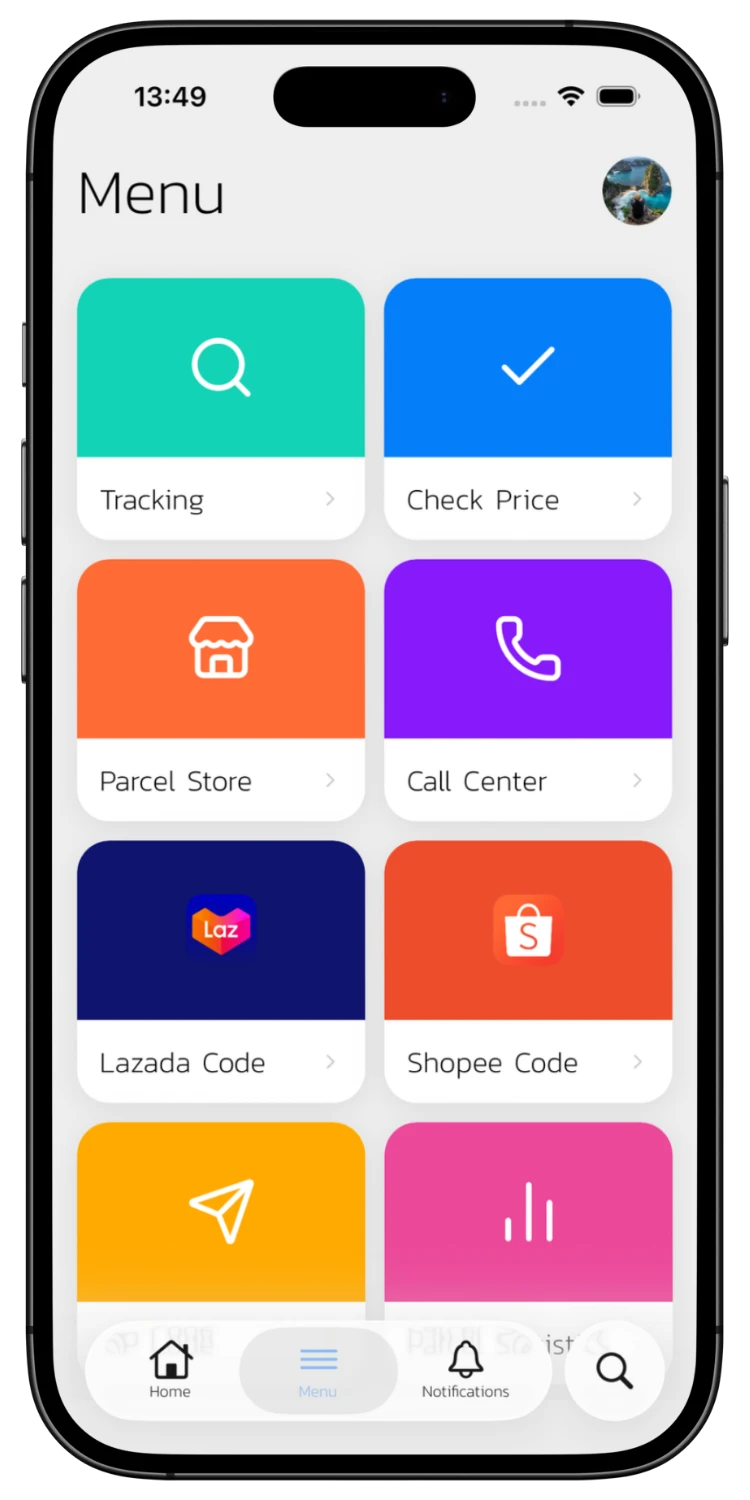
Open Menu & Select Tracking
Open the ETrackings app and tap "Tracking" from the main menu to go to the tracking page.
Tap the QR Code Icon
02
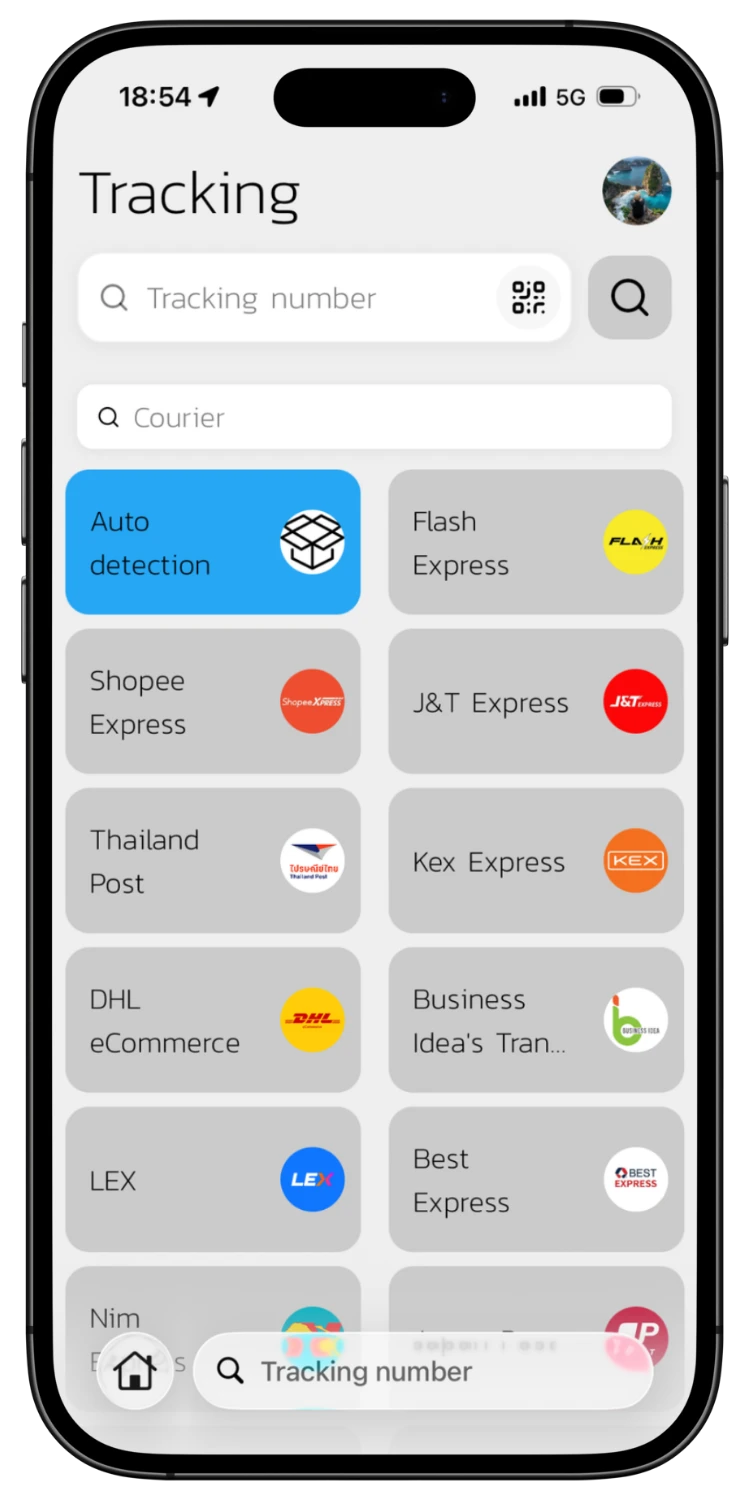
Tap the QR Code Icon
On the tracking page, tap the QR Code icon next to the search field to open the camera scanner.
Scan QR Code or Barcode
03
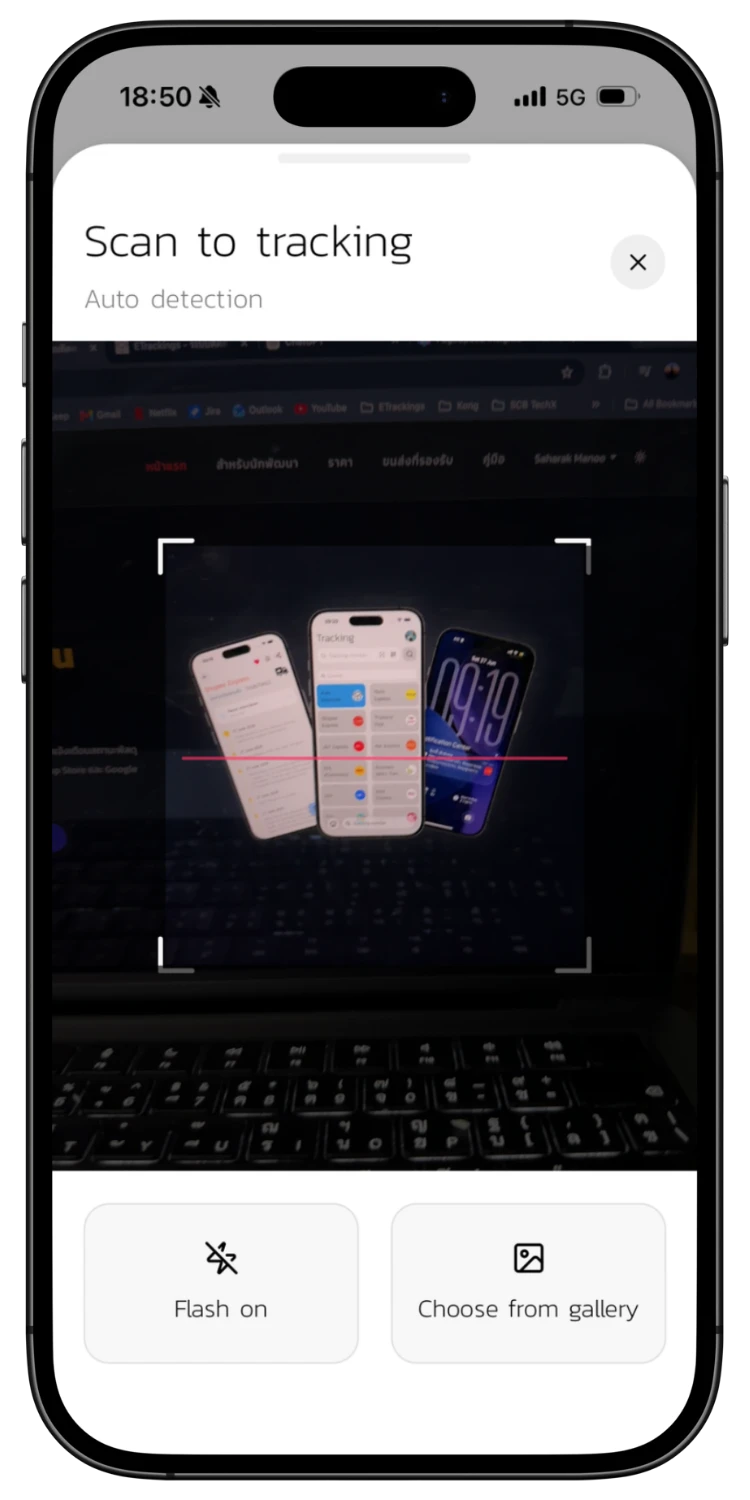
Scan QR Code or Barcode
Point your camera at the QR Code or Barcode on your parcel. The system reads the tracking number automatically. You can turn on the flash or choose an image from your gallery.
View Tracking Results
04
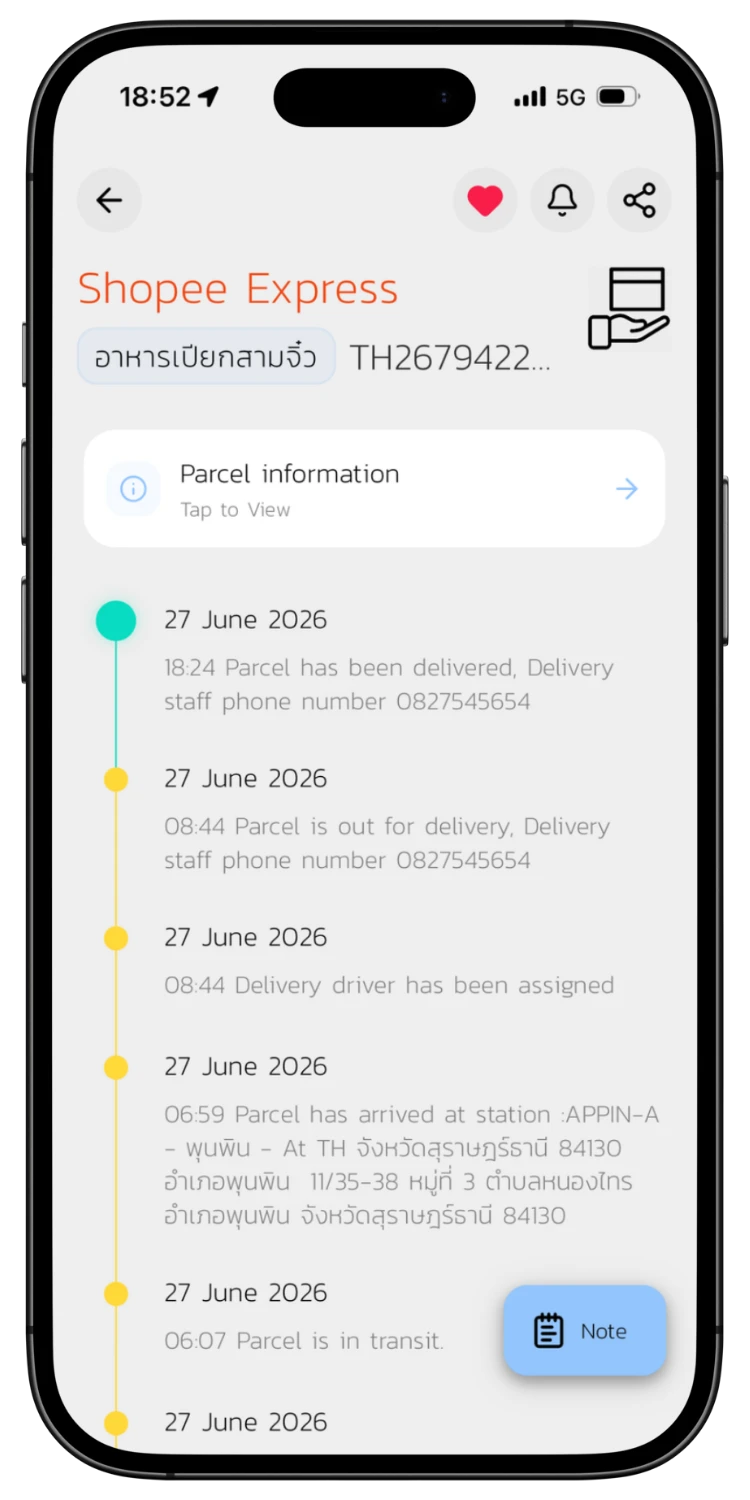
View Tracking Results
The system displays a full tracking timeline immediately after a successful scan, with dates, times, and details for each step. No manual typing needed.

Download the App for a Better Experience!

Track your parcels easier with many special features

Consent to Personal Data

We use cookies to improve performance. and good experience in using your website You can study the details at Privacy Policy and Terms and Conditions

Privacy Preferences

You can choose cookie settings by on/off. Cookies of each type are available on request, except for essential cookies.

Necessary
Required for core functionality
Always On
Analytics
Help us improve our service
Always On