How to use the app in 5 steps
Scroll down to go step by step, from opening the app to getting notified when your parcel moves.
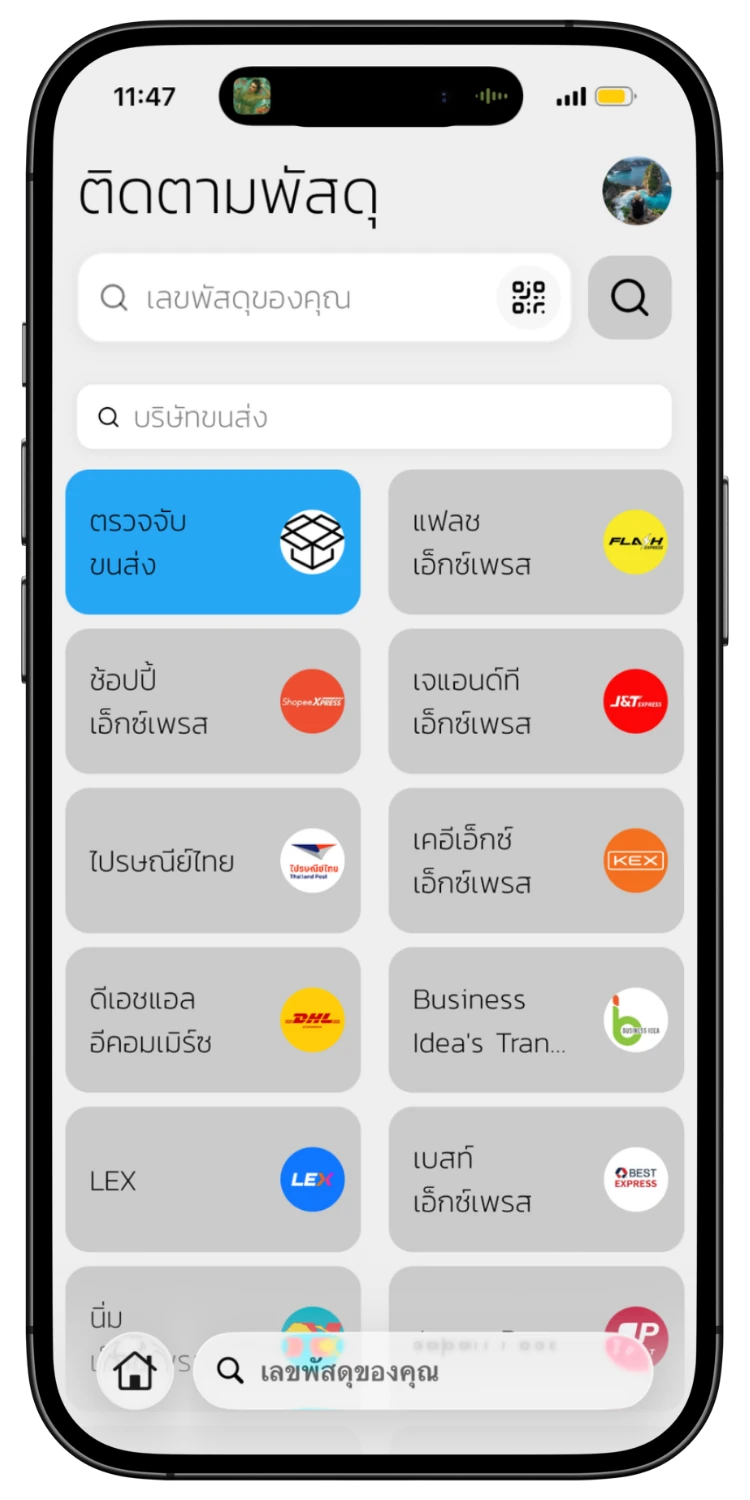
Open the App & Select Courier
Open the ETrackings app to see the tracking page with all available couriers. Select the courier you want, or choose "Auto Detection" to let the system find it automatically.
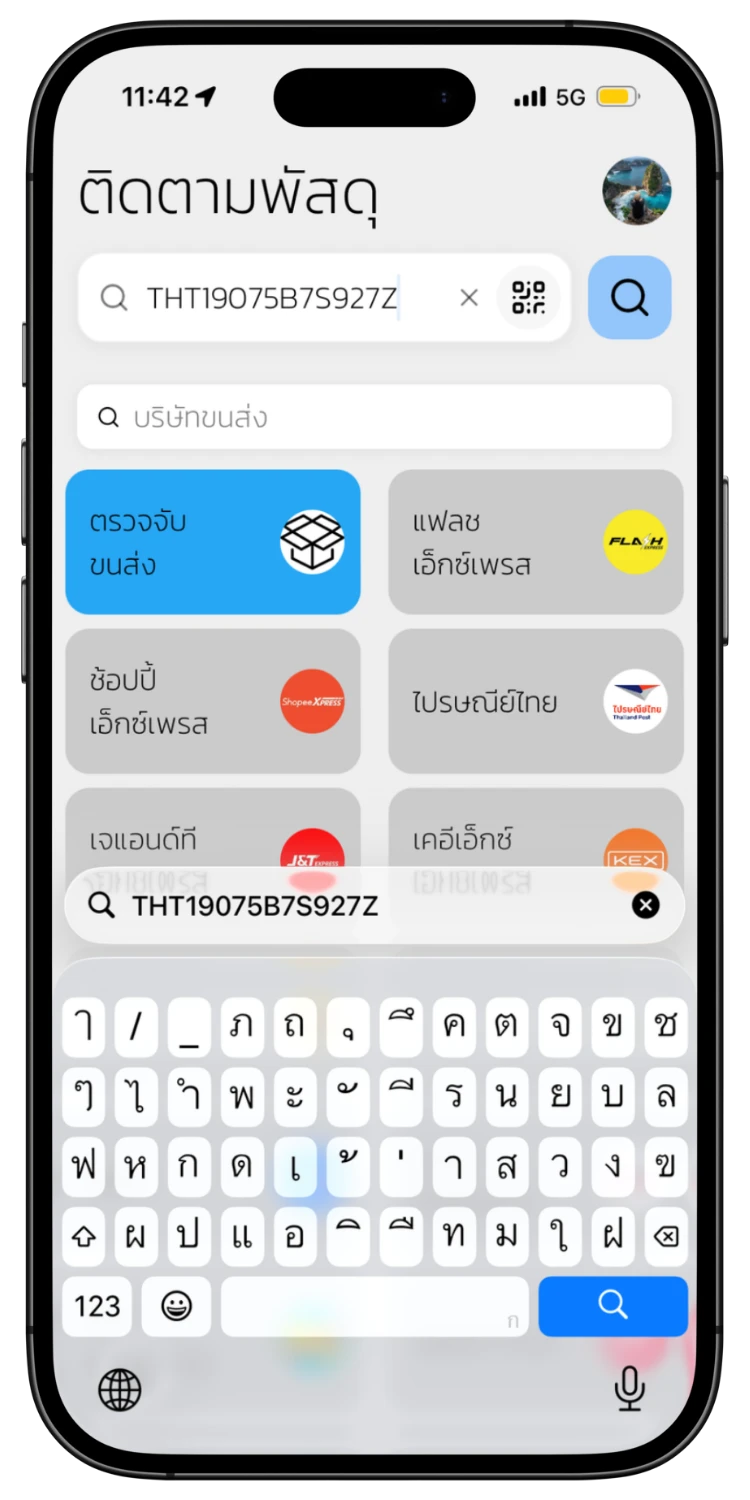
Enter Tracking Number
Type your tracking number in the search field and tap the search button. You can also scan a QR Code or Barcode directly.
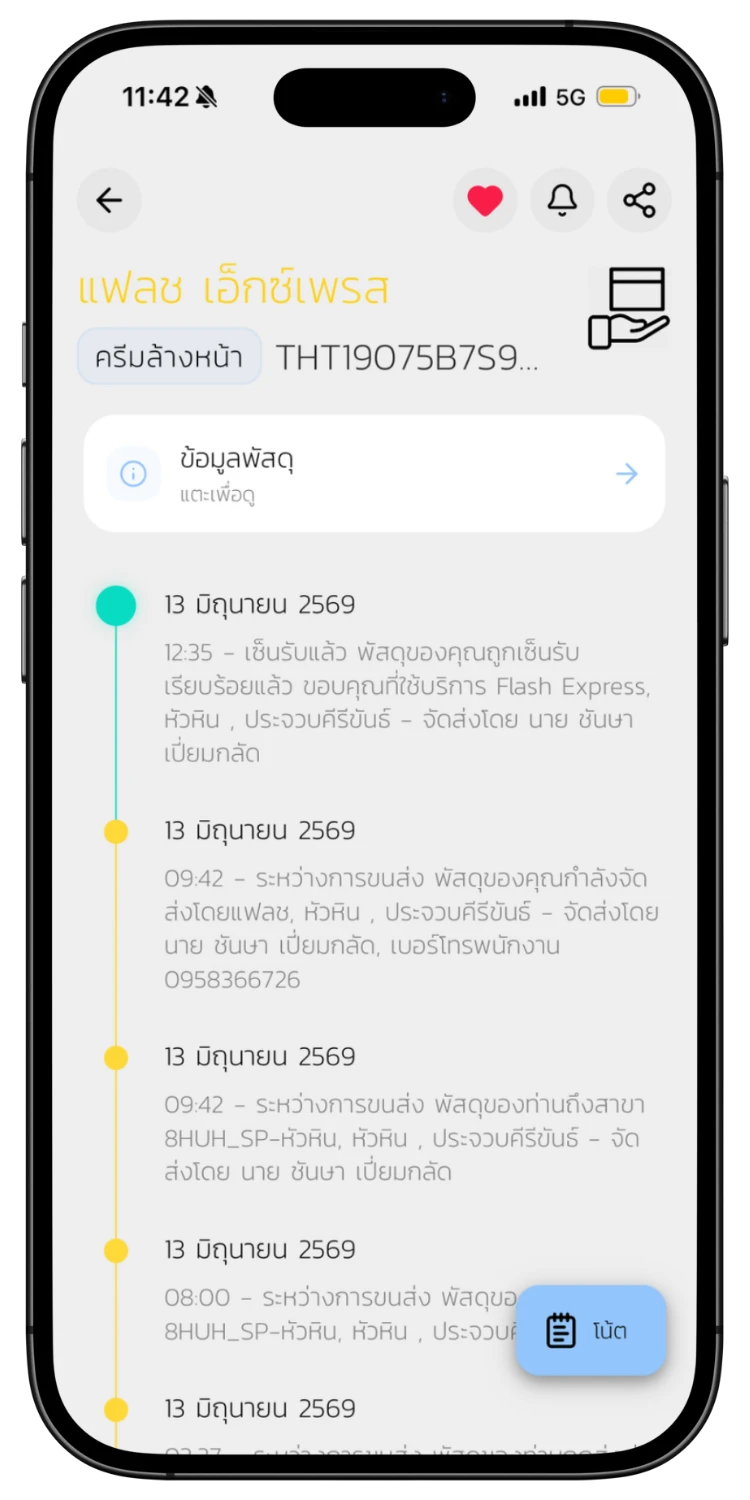
View Tracking Timeline
The system will display a full timeline of your parcel status from pickup to delivery, with dates, times, and details for each step.
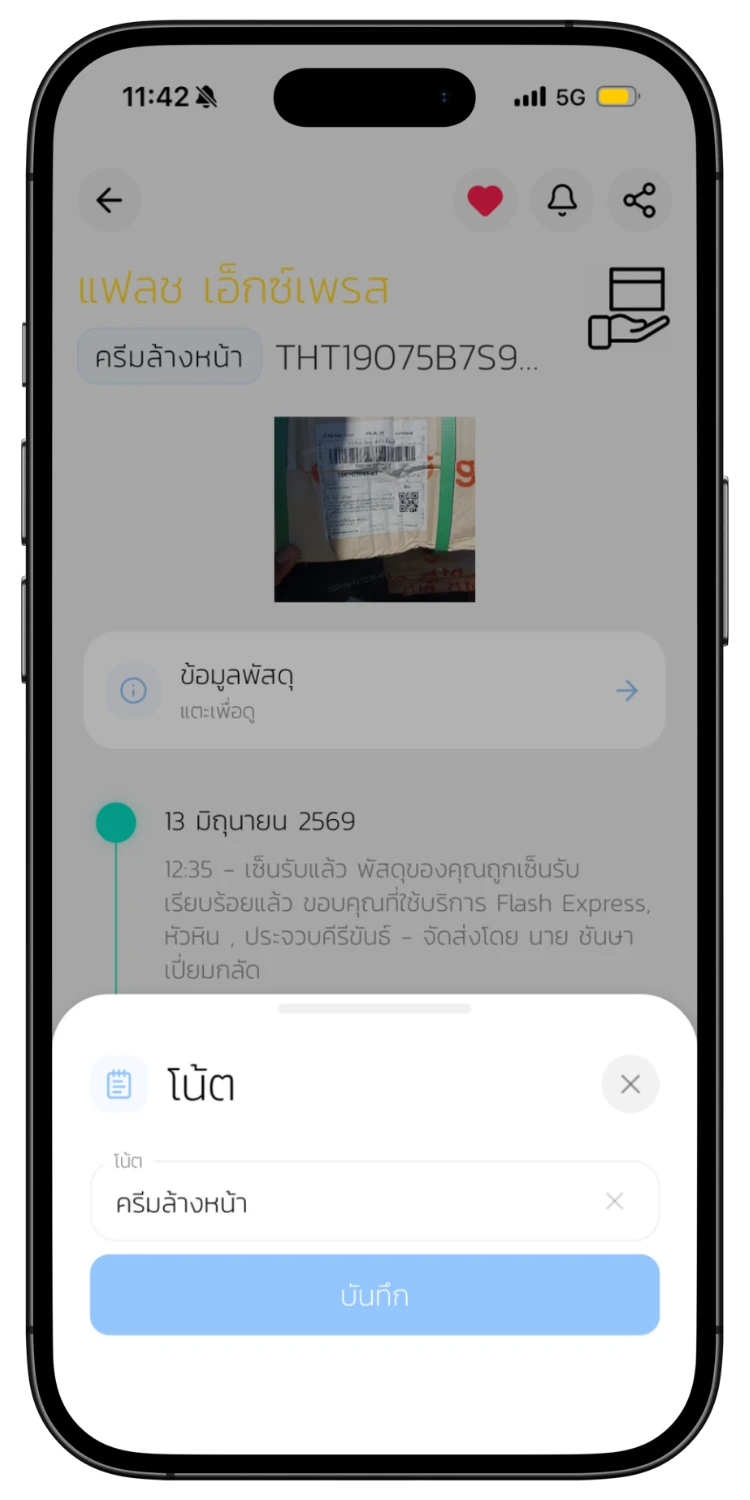
Save Parcel Note
Tap save to bookmark this parcel. Give it a note name so you remember what it is. You can view saved parcels anytime.
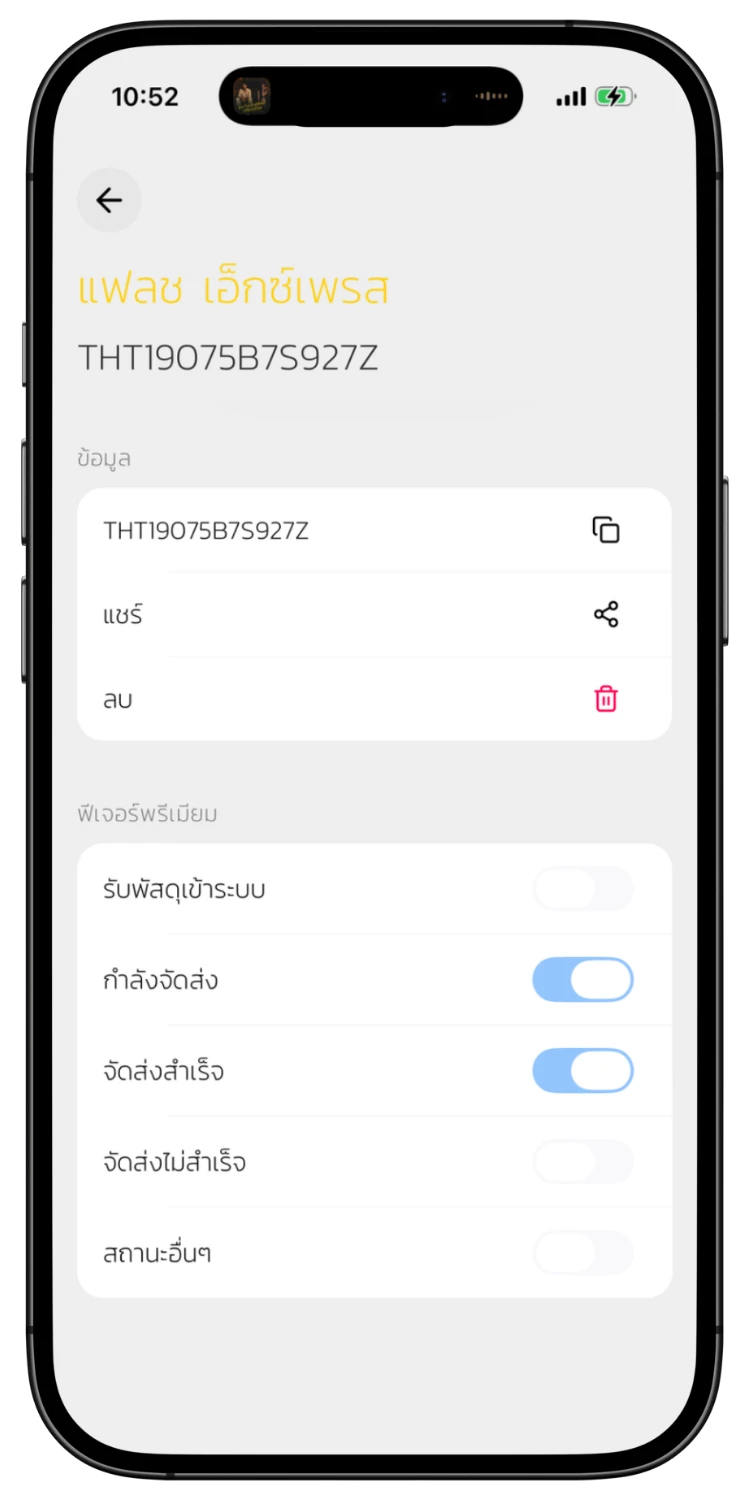
Set Up Notifications
Choose which status changes you want to be notified about — in transit, delivered, delivery failed, etc. The system sends push notifications automatically.