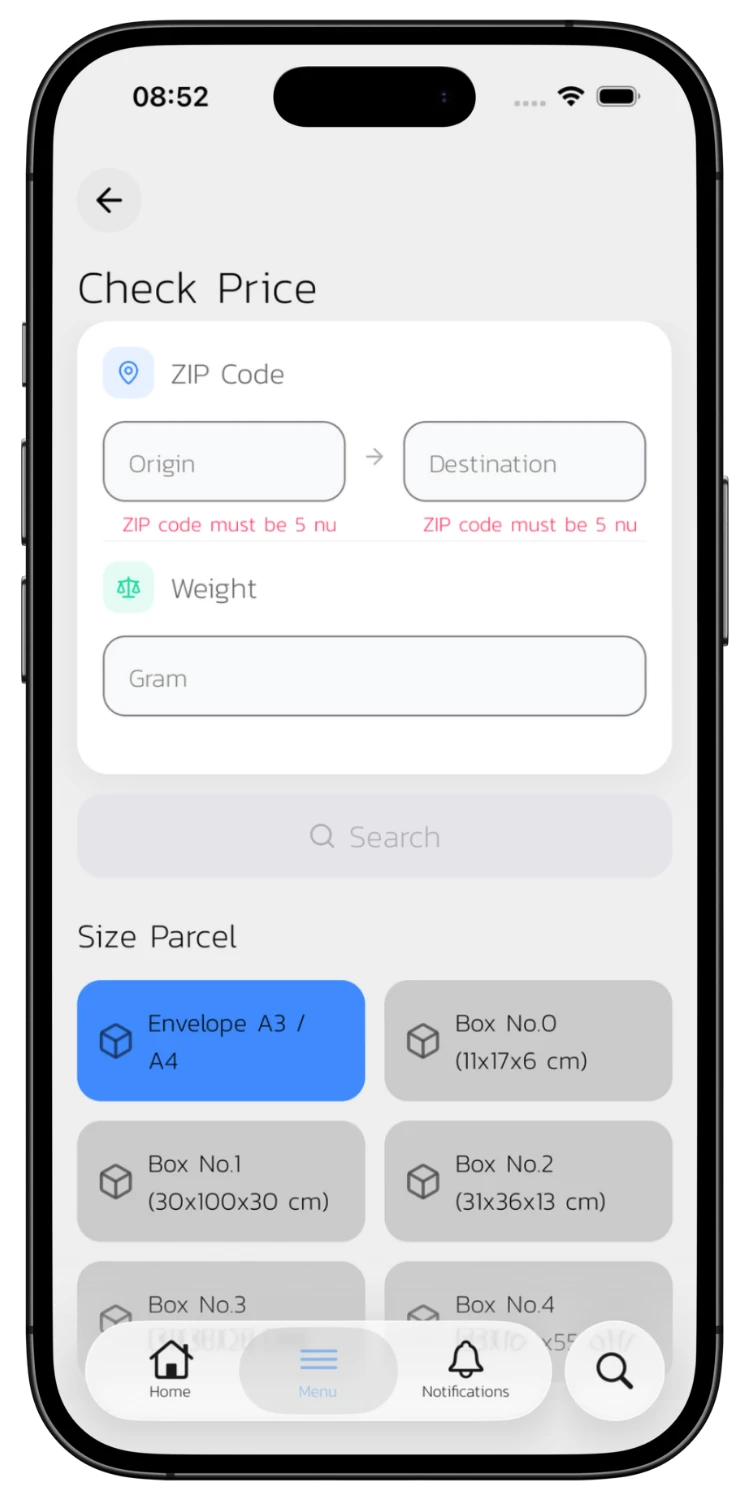
Open Check Price Menu
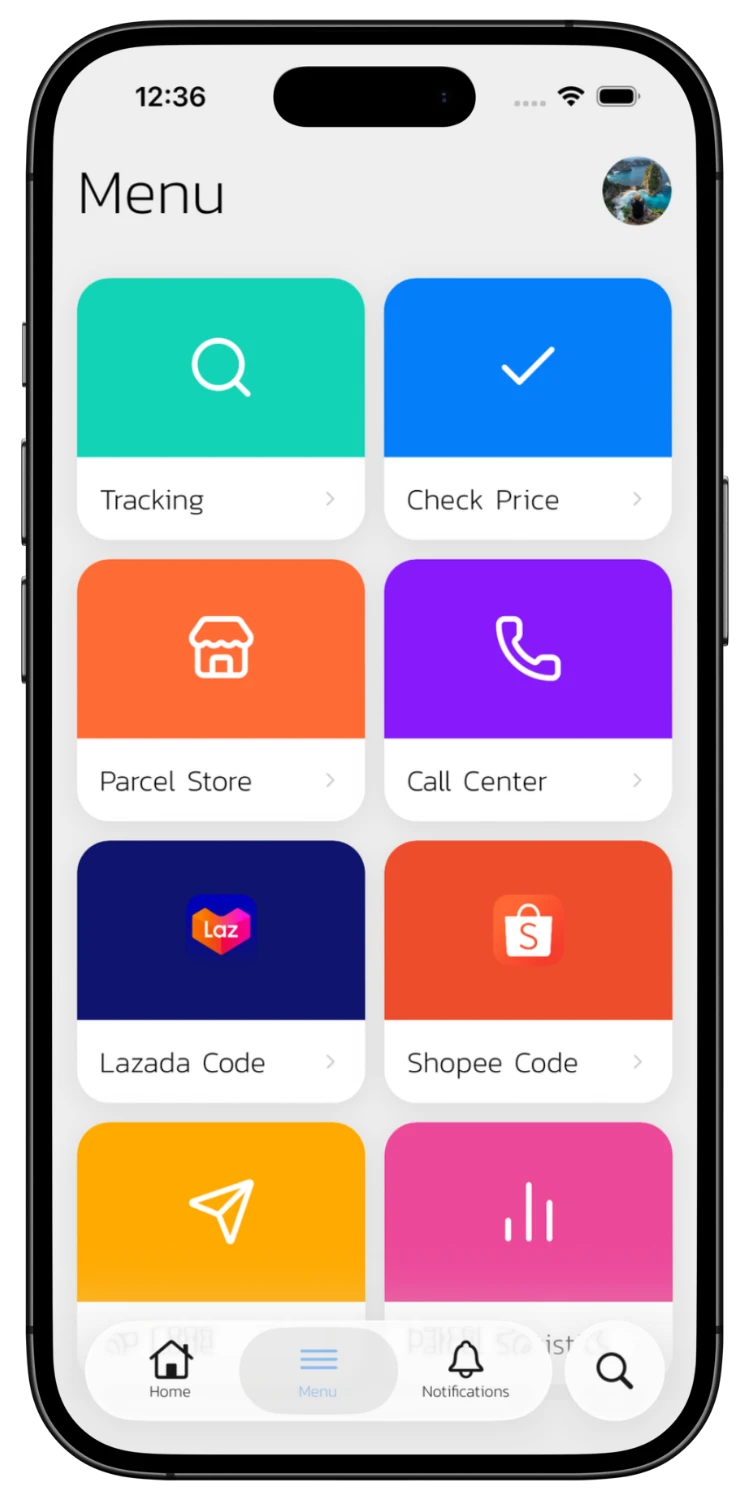
From the menu screen, select "Check Price" to enter the shipping cost comparison page.
Compare shipping rates from multiple couriers in one place
From the menu screen, select "Check Price" to enter the shipping cost comparison page.
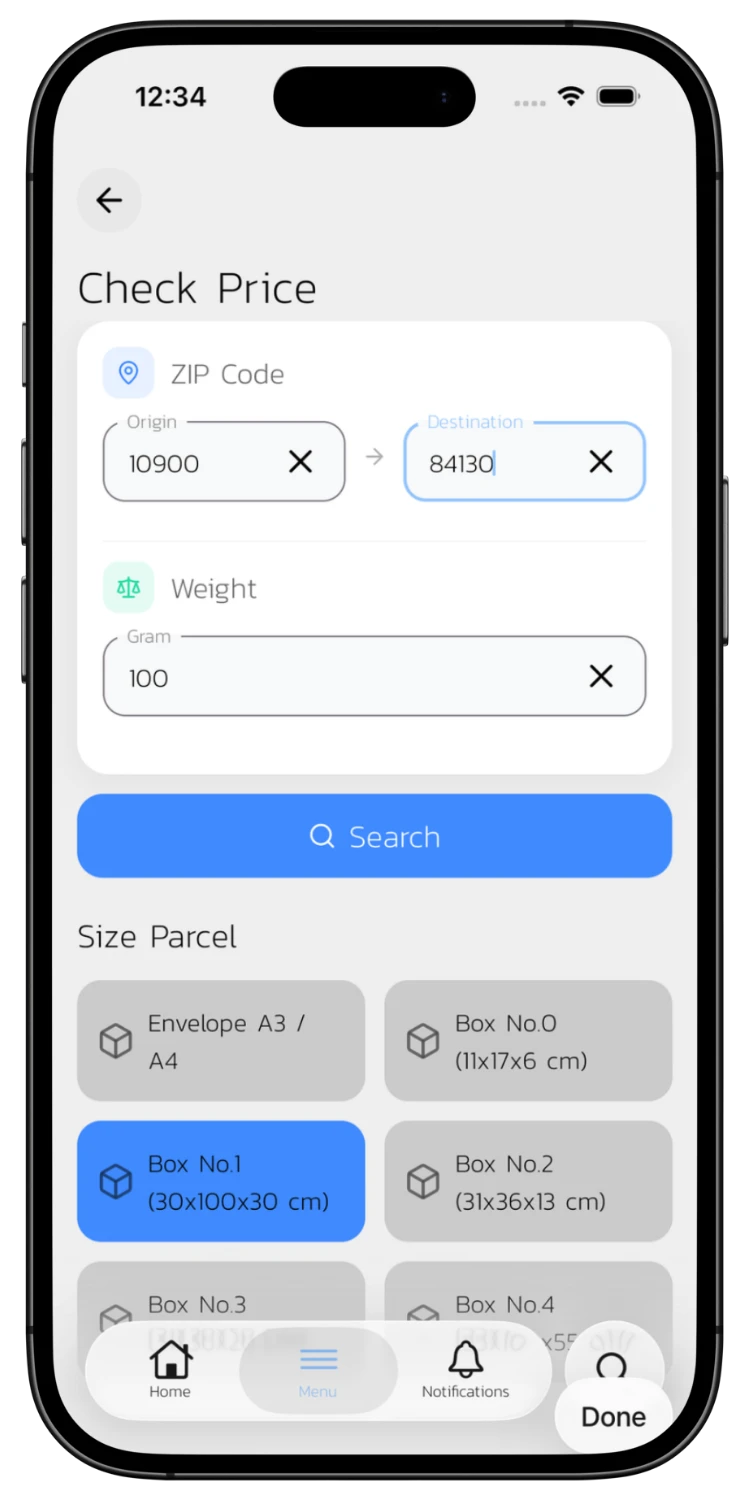
Enter origin and destination ZIP codes, parcel weight (in grams), and select a box size, then tap Search.
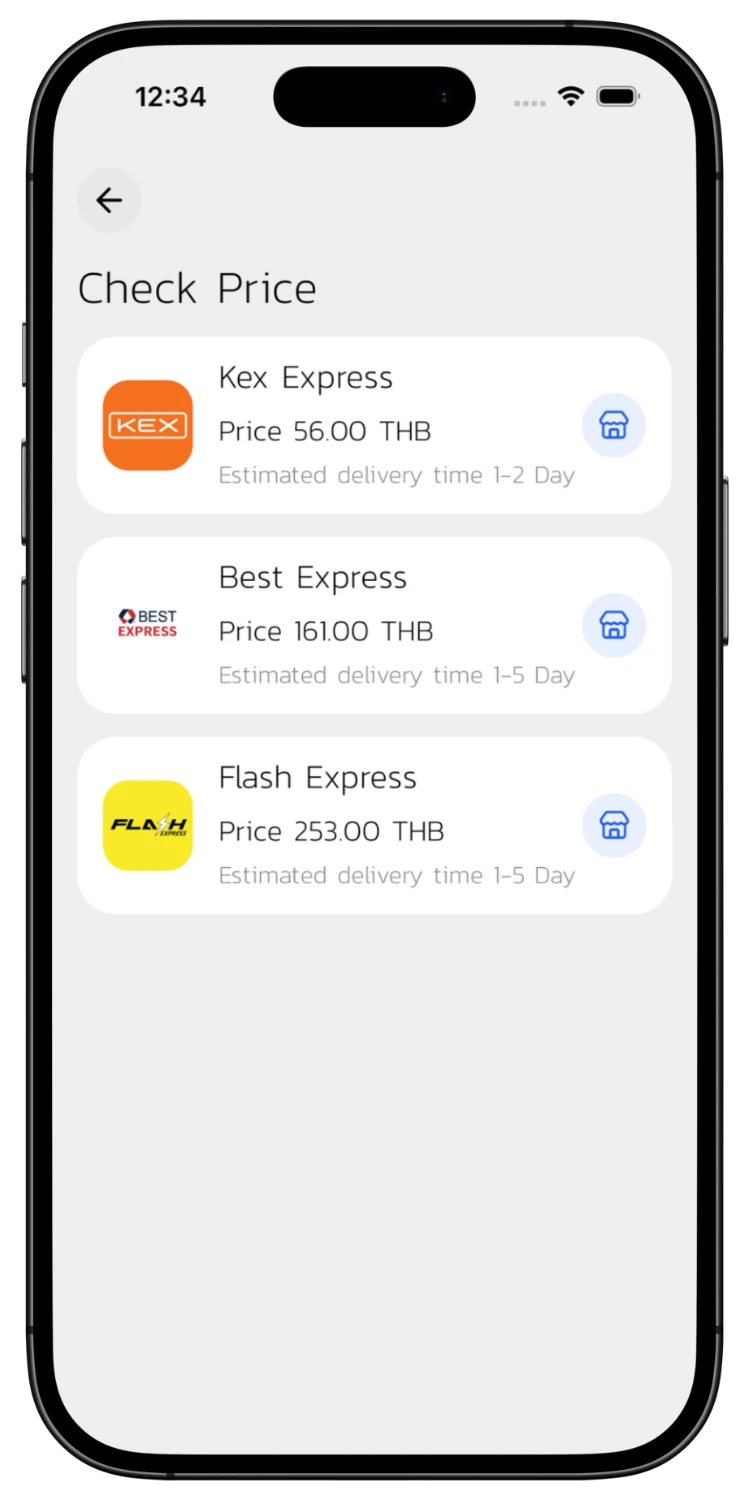
The system displays shipping rates from multiple couriers with estimated delivery times, making it easy to compare.
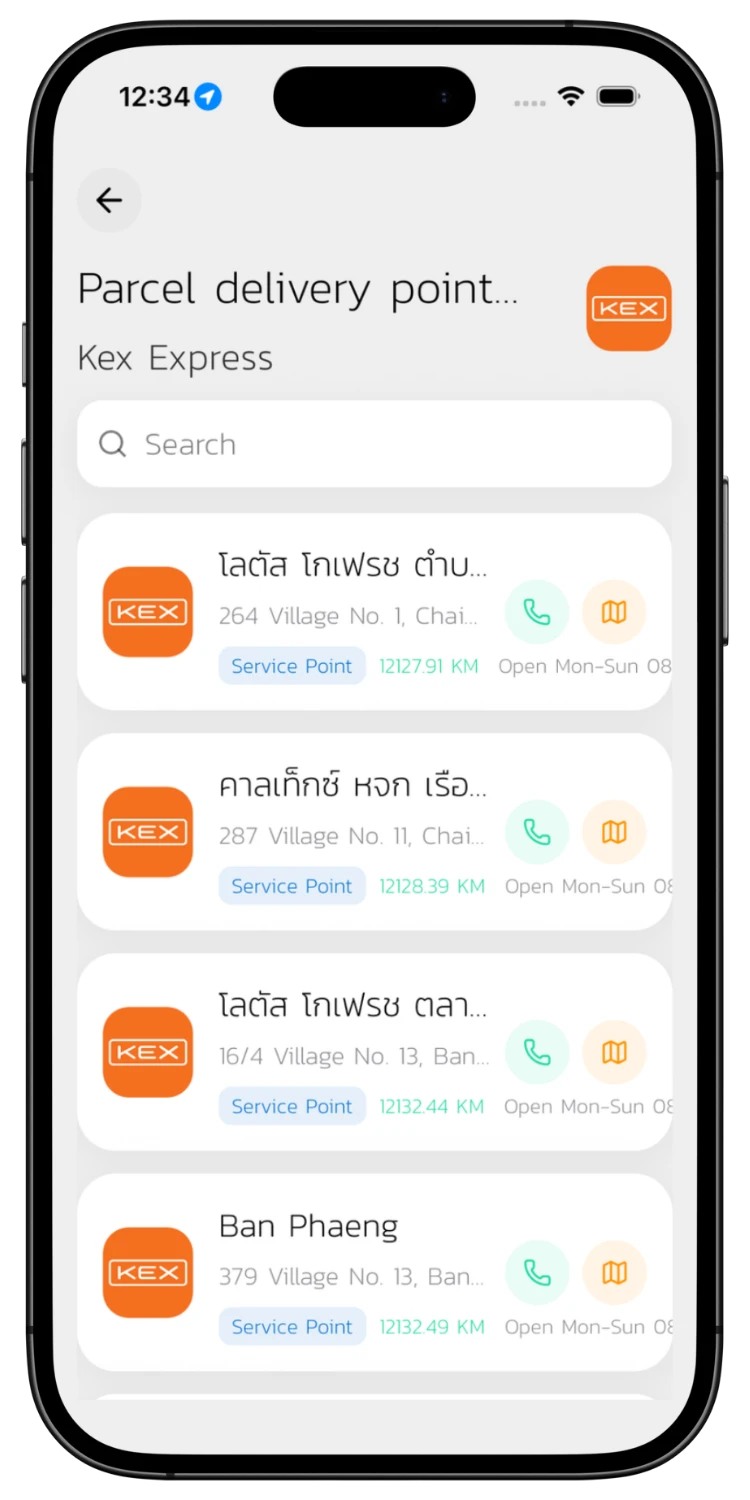
Tap the store icon to see nearby drop-off points for that courier, with address, distance, and opening hours.
The system will alert you if any information is missing, such as ZIP code must be 5 digits or weight is required.
We use cookies to improve performance. and good experience in using your website You can study the details at Privacy Policy and Terms and Conditions
You can choose cookie settings by on/off. Cookies of each type are available on request, except for essential cookies.